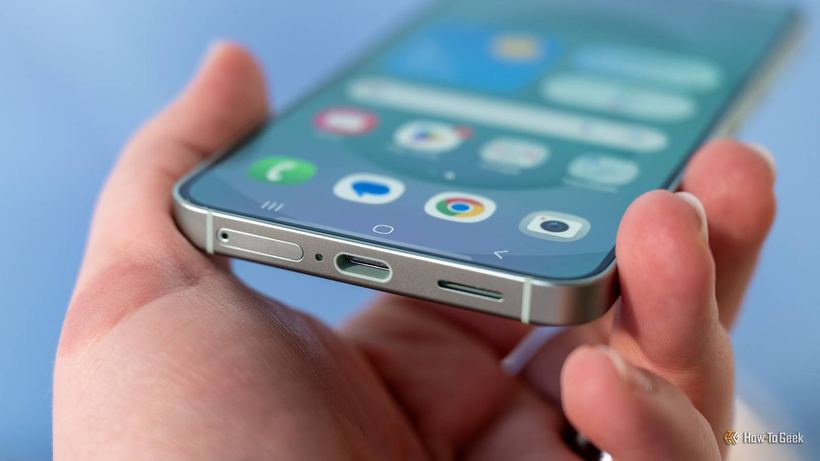
In five thousand repairs, I've seen it all, but USB-C is a special kind of pain. You'd think one connector for everything: charging, data, video — beautiful. In practice, this 'universal' standard turned into a lottery, and most users don't even suspect they're losing every day.
Same on the Outside, Different Planets Inside
Every week, people come to us with the same story: 'I bought a new cable and my laptop charges slower than before,' or 'I connected an external monitor via USB-C and it doesn't work.' The problem isn't the cable or the device — the problem is that USB-C is just the shape of the connector, not a guarantee of capabilities.
The clearest example — two laptops with seemingly identical USB-C ports. But one pushes data at 40 Gbps through Thunderbolt and outputs 4K to an external monitor. The second — USB 2.0, which is only good for a mouse and slow charging. People buy a MacBook with two USB-C ports and don't know that the left port is full-featured and the right one is crippled. It's not written anywhere in large print.
At least old USB-A had color coding: blue — USB 3.0, black — 2.0. It was messy, manufacturers did whatever they wanted, but at least there was some logic. USB-C doesn't have this at all. Sometimes they draw a small lightning or monitor icon next to the port, but half the brands ignore even that.
Cables Are a Separate Quest ⚡
Let's say you figured out the ports. Now the next level: the cable. The box says 'USB 3.2 Gen 2' or '40 Gbps' — important information while the box is in your hands. As soon as you throw it away and the wire ends up in your pile of cables — that's it, good luck determining which one can do what.
We have a cable tester at our shop. It often turns out that a client used a 'fast' cable for a year that actually works at 2000s speeds. An external SSD outputs 40 MB/s instead of an honest 500+ MB/s. The person thinks the disk is slow — but it's the 150 ruble cable.
Charging: 100 Watts Doesn't Mean 100 Watts
Someone buys a 100-watt charger, all excited. But the phone charges one and a half times slower than with the stock charger. Why? Because charging speed is a negotiation between three parties: the charger, the cable, and the device. If even one doesn't support the necessary protocol — USB-PD, Qualcomm Quick Charge, or the manufacturer's proprietary one — the speed drops to the minimum.
I tested it myself: iPhone 15 with a cheap 'USB-C to USB-C' cable from a kiosk charges twice as slow as with a cable that honestly supports USB-PD. Same phone, same connectors — just a different wire. Most people simply don't notice this until charging becomes completely sluggish.
What to Do About It 🔌
Any USB-C is enough for phone charging, but for fast charging — you need a cable marked USB-PD with at least 20W. For an external monitor or SSD — only a cable marked 'USB 3.2 Gen 2' or 'Thunderbolt 3/4'. Don't throw away boxes right away: photograph the specs so you won't have to guess later.
Version names are a separate conversation. USB 3.0 was renamed to USB 3.1 Gen 1, then to USB 3.2 Gen 1. USB 3.2 Gen 2 and USB 3.2 Gen 2×2 appeared. Then USB4. This isn't a typo, that's how it is — engineering history that looks like mockery to the average user.
If you can't figure it out yourself — come for free diagnostics to iClub.pro, Novosibirsk, Kommunisticheskaya St. 35. We'll figure it out.