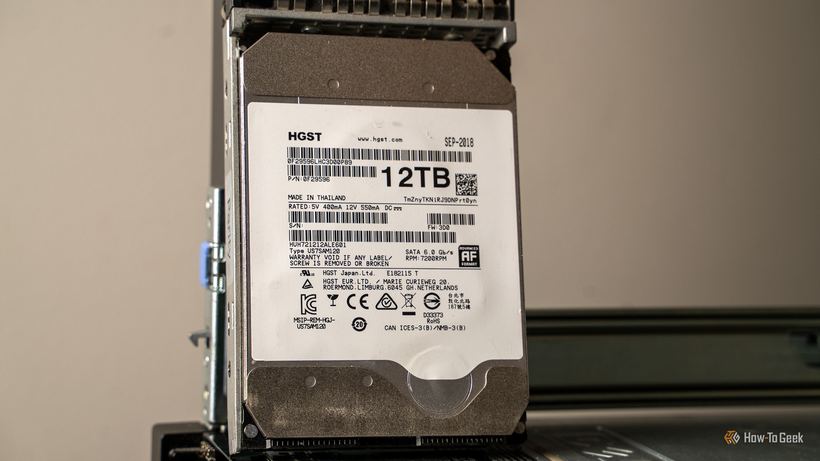
You are choosing a hard drive for your computer and notice that a 16–22 TB enterprise model costs less than a standard consumer drive with a smaller capacity. It sounds strange — enterprise equipment is usually more expensive. We look into why this happens and whether it's worth considering.
Why an enterprise drive might cost less
Enterprise HDDs are produced by the millions for data centers and large companies. When a company upgrades its server fleet, thousands of working drives hit the secondary market — and the price there is no longer determined by retail logic.
Such drives are sold under various labels:
— Recertified / Renewed — checked by the manufacturer or seller after use
— Server pull — removed from a server during a scheduled replacement; the drive itself may have been fully functional
— Surplus stock — unsold warehouse inventory that has never been used
— Seller refurbished — refurbished by the seller without manufacturer involvement
When such a purchase is justified
1. You need a large capacity for cold storage — archives or backups where the drive is rarely used.
2. You are buying from a trusted, specialized seller, not a random private individual.
3. The seller provides at least a 90-day warranty and clearly describes the condition of the drive.
4. You are prepared to immediately check the drive with CrystalDiskInfo and examine the SMART parameters.
For a system drive or for storing active working files, it is better to get a new consumer HDD with a full manufacturer's warranty. Reliability is more important than savings here.
What to watch out for
— No warranty or a vague description like "works, tested"
— Uncertain origin: no serial number, no manufacturer specified
— Suspiciously low price without any explanation
— A seller with no reviews or minimal history on the marketplace
How to check the drive after purchase
1. Install CrystalDiskInfo and open the SMART data — the program will immediately show the overall condition.
2. Check three key parameters: Reallocated Sectors Count, Current Pending Sector Count, and Uncorrectable Sector Count — all should be zero.
3. Run a short test using HD Tune or the drive manufacturer's proprietary utility.
4. Before active use, make a backup of important data on another medium.
If the drive clicks, freezes, or is not detected by the system — stop using it immediately: continuing increases the risk of data loss.
Not sure about the condition of a drive after purchase or want to check an old storage device? Come to Iclub Service: we will read the SMART data, run a test, and honestly tell you if it can still be used. Diagnostics are free.