Hot laptop: dust or a breakdown — how to figure it out
The laptop is scorching hot on the bottom, the fan is roaring like a turbine, and the screen freezes after twenty minutes of use — a familiar story. There is one question: is it a critical breakdown or has it just not been cleaned in a long time? Let's figure it out.
Why laptops get hot in the first place
The processor and graphics card generate heat during operation — this is normal. The cooling system: copper pipes, a fan, and a radiator — dissipates it outward. The problem starts when the pipes and radiator fins get clogged with dust and air can no longer pass through properly. After two or three years of active use, such a dense felt-like clump accumulates inside that heat dissipation drops by half. And it is not a breakdown — just dust.
Symptoms of dust-related overheating
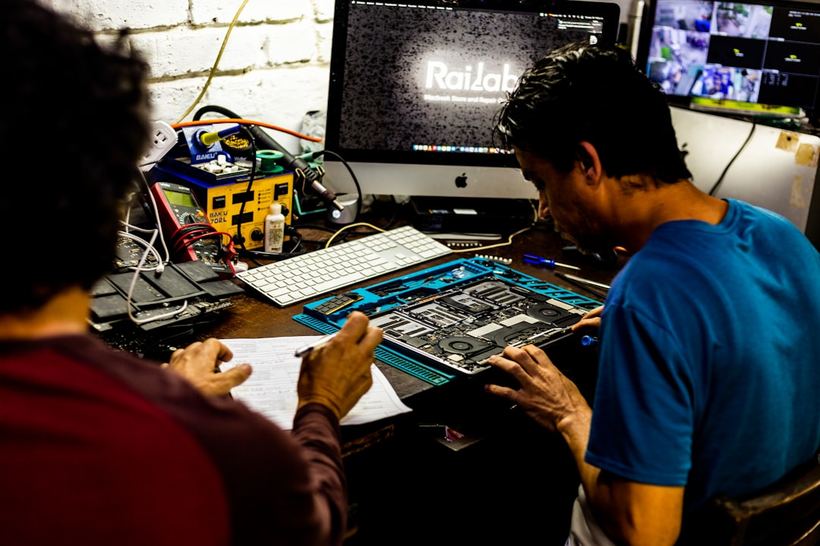
Every week we see laptops with the same story. The owner says: "I bought it five years ago, it worked fine, but now it's sluggish and hot." We open it up — there is a dust pad across the entire radiator, air isn't passing through at all.
Dust is usually indicated by the following signs:
- The fan starts spinning loudly almost immediately after turning it on, even without a load
- The bottom of the laptop is hotter than before during the same tasks
- The system slows down and freezes after 15–30 minutes — the processor lowers its frequency to avoid burning out
- If you lift the laptop onto a stand, it's slightly better; on a desk, it's worse
- After 10 minutes in a cool place, everything temporarily returns to normal
When it is no longer just dust
We had a 2021 MacBook Pro 14″ with an M1 Pro chip. The owner complained about constant heat and freezing. We took it apart — it was almost clean inside, almost no dust. However, the thermal paste on the processor had turned into a dry, crumbling layer. We replaced the paste — the temperature dropped by 20 degrees, and everything started working as it should.
Signs that the problem is more serious than dust:
- The laptop is less than a year old and it is already overheating — dust doesn't accumulate like that in a year
- The temperature goes over 95–100°C even under a light load (this can be seen in HWMonitor or iStatMenus)
- The laptop shuts down spontaneously without warning
- One of the fans is not spinning at all — you can hear that the second one is silent
- After cleaning, it got worse or nothing changed at all
What you can try at home
If the laptop is 2–3 years old or older, you can blow out the radiator through the ventilation grilles with a can of compressed air. Hold the can vertically and blow in short bursts — this dislodges the surface layer. Sometimes this is enough to lower the temperature a little.
But honestly: this is a half-measure. You won't remove that felt-like clump on the radiator that way — it sits tightly between the fins. You need to disassemble the case.
Another important point: do not vacuum the inside of the laptop with a regular vacuum cleaner. We had an Asus VivoBook 15 from 2019 — the owner cleaned it himself with a vacuum cleaner and poked at the thermal paste at the same time. The temperature became even worse. The vacuum cleaner shifted the paste, and it settled unevenly. We reapplied the paste properly and cleaned it properly — everything fell into place.
When you definitely need to see a technician
- The laptop hasn't been disassembled since purchase, and it's already 3+ years old — the thermal paste has dried out during this time, this is almost guaranteed.
- You blew it out through the grilles, and a week later everything returned to how it was.
- The laptop shuts down by itself or freezes completely without warning.
- You disassembled it yourself, cleaned it — but the temperature didn't drop.
If that didn't help — come visit us
At Iclub Service, diagnostics are free. We will check the temperatures under load, disassemble the case, and tell you honestly: is it dust, dry paste, or something else. Come by without an appointment at 35 Kommunisticheskaya St. in Novosibirsk — we are open every day.