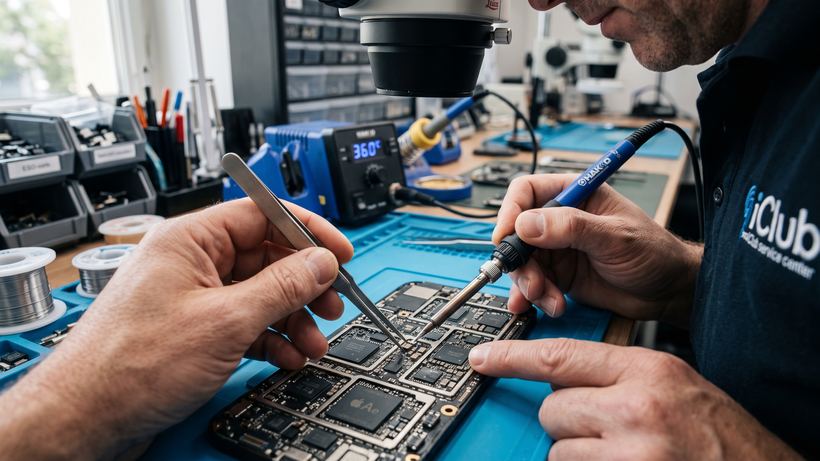
Acer Aspire E5-511 Service Features
The Acer Aspire E5-511 laptop has established itself as an affordable and functional solution for everyday tasks. However, active use inevitably leads to the need for maintenance. At iClub, we offer a comprehensive approach to restoring this model, ranging from software configuration to complex component-level motherboard repairs.
Common Faults and Symptoms
Acer Aspire E5-511 owners most often contact us with the following issues:
- Power issues: If the laptop has stopped charging or works only when plugged in, a battery replacement or power circuit repair is likely required.
- Mechanical hinge wear: Stiff lid opening or a characteristic crunching sound signal the need for hinge repairs. Ignoring this problem can lead to cracks on the casing or damage to the display cable.
- System overheating: Loud fan noise, unexpected shutdowns, and slow performance are clear signs that the cooling system needs professional cleaning.
- OS boot failure: If only the logo or a black screen is visible upon startup, storage drive diagnostics or operating system restoration is required.
- Customization: Laser keyboard engraving is necessary to apply Cyrillic characters to models brought from abroad.
How Repairs are Conducted at Our Service Center
We value our clients' time, which is why we have organized the process as efficiently as possible. Everything starts with free diagnostics, which allows us to accurately determine the location of the defect. After agreeing on the details, the technician gets to work. Thanks to having spare parts in our own warehouse in Novosibirsk, most procedures for the Acer Aspire E5-511 take no more than 30 minutes and are performed in the presence of the owner. Our office is conveniently located at 35 Kommunisticheskaya St. Upon completion, a warranty card valid for 3 months or more is issued.
Mini-FAQ on Acer Repairs
Can the battery be replaced immediately upon drop-off?
Yes, battery replacement on this model is a modular repair and usually takes about 15-20 minutes if the part is in stock.
What should I do if liquid gets on the laptop?
You must turn off the device immediately, disconnect the charger, and bring it to the service center as quickly as possible. Timely cleaning will prevent board corrosion.
Does laser engraving affect key operation?
No, the procedure is completely safe, does not compromise the key mechanism, and preserves the factory backlight if provided by the model.