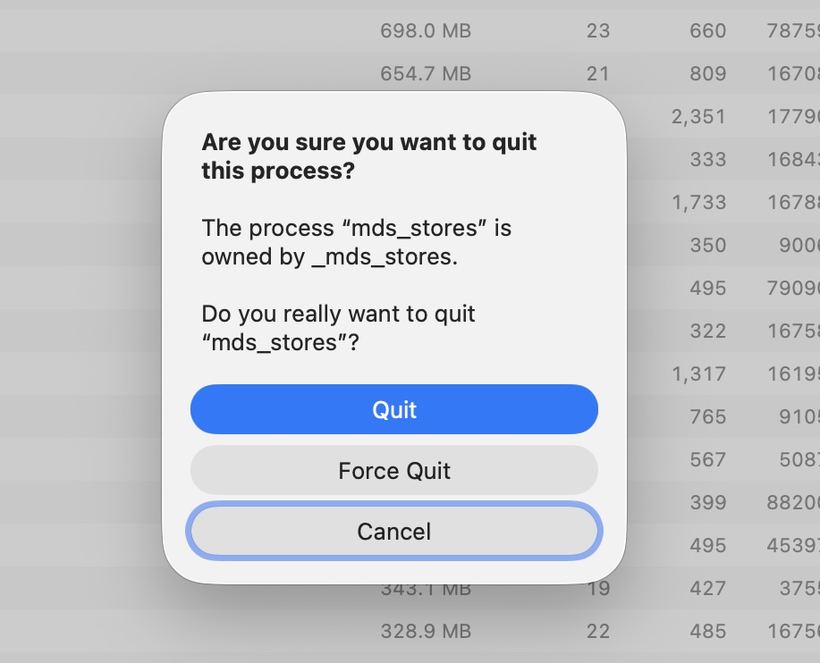
You open Activity Monitor and notice the mds_stores process consuming 80–100% of your CPU, while your Mac is lagging and the fans are whirring. Let's break down what is happening and how to fix it.
What is mds_stores
mds_stores is a system process for Spotlight, macOS's built-in search tool. It indexes files on your drive so search queries return instant results. Under normal conditions, it runs quietly in the background. Sometimes, however, indexing gets out of hand and begins consuming heavy system resources for hours.
Why this happens
— Spotlight is building the index from scratch after reinstalling macOS or on a brand-new Mac
— A large external drive or cloud storage (iCloud Drive, Dropbox, Google Drive) was connected
— The index database became corrupted—the process is caught in an infinite loop and cannot complete
— A macOS update reset some indexing settings
— Too many temporary files have piled up on the drive
How to fix the issue
1. Wait it out. If you have just reinstalled the OS or hooked up a new drive, give Spotlight 1–2 hours to finish indexing. Do not shut down your Mac during this time.
2. Restart your Mac. A simple reboot often does the trick: the process restarts fresh and finishes properly.
3. Exclude unnecessary folders from indexing:
— Open System Settings → Spotlight (on macOS Ventura and newer: System Settings → Siri & Spotlight)
— Go to the "Privacy" tab
— Click "+" and add folders or drives that do not need to be indexed—for example, external archive drives
4. Rebuild the Spotlight index manually:
— Navigate to System Settings → Spotlight → "Privacy"
— Drag your system drive (Macintosh HD) into the exclusion list
— Wait a few seconds, then remove it from the list
— The Mac will automatically start reindexing—the time required depends on your data volume
5. Stop Spotlight using Terminal (a temporary workaround if your Mac is completely unresponsive):
— Open Terminal (Applications → Utilities → Terminal)
— Enter the command: `sudo mdutil -a -i off`, hit Enter, and type your administrator password
— Once the system load drops, turn indexing back on: `sudo mdutil -a -i on`
When to be concerned
If mds_stores overloads your Mac continuously rather than just for a few hours—day after day under any circumstances—it may indicate file system corruption or hardware issues with your storage drive. In such cases, DIY troubleshooting may fail or cause further damage.
Stop by iClub Service for diagnostics: we will check your drive's health, pinpoint the root cause, and restore your Mac to proper working order.