Short answer: Low Power Mode wins, but the difference is smaller than you might expect. And what actually kills the battery the fastest was discovered by accident on the third day of testing.
A week ago, I took my work iPhone 16 Pro and put it through an honest experiment. Every morning I recorded the charge level, and again in the evening. I logged the conditions: what I did with the phone, what mode was enabled, how many hours it operated. For the first two days, standard mode with ProMotion; then a fixed 60 Hz; then Low Power Mode. The workload was roughly the same every day: calls, messengers, a bit of YouTube at lunch. No intentional torture of the phone.
What the numbers showed
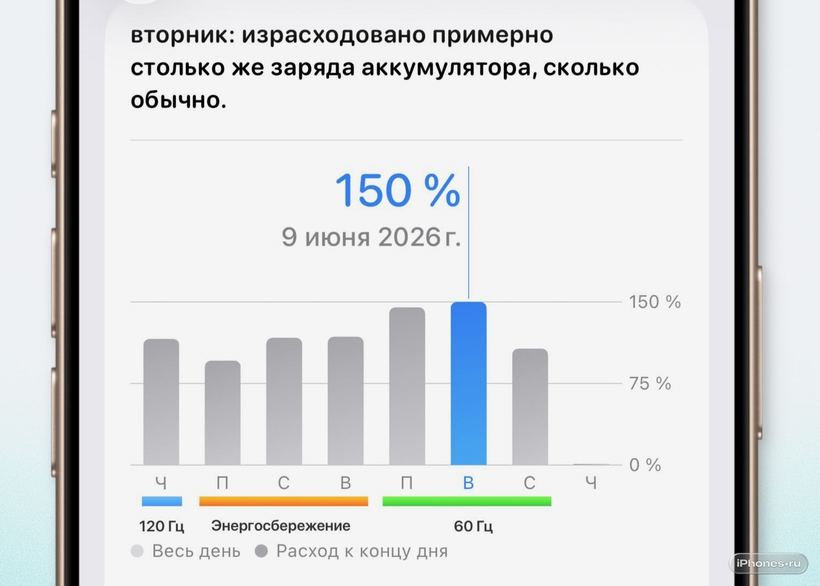
With ProMotion (120 Hz), the iPhone burned an average of 8-9% per hour under active use. Switched to a fixed 60 Hz - it became 7-7.5%. There is a difference, but modest: about half an hour of extra life per day, maybe a bit more. Then I turned on the "yellow battery" and the consumption dropped to 5.5-6% per hour. Now that is noticeable - the phone lasts 2-3 hours longer in active mode.
But the most interesting thing came to light on the third day. I forgot to disable background app refresh for three apps I don't use every day, and left location services on "Always" for one old delivery service. Together, they consumed about as much as the entire difference between ProMotion and 60 Hz. Meaning one accidental setting canceled out all the gains from changing the screen refresh rate.
Go to Settings → Battery → Battery Usage and see who was devouring the battery over the last 24 hours. Often there are surprises: Instagram or Mail at the top, even though you didn't open them all day.
In our service center we see this picture often - about three times a week for sure. A person comes in with an iPhone, says: the battery is dead, needs replacement. You look at diagnostics - capacity is 87%, quite alive. But in the background, five apps are running with permanent location access. We change the settings right in front of the client - the phone starts living 25-30% longer without replacing the battery 🔋
What actually saves charge - by descending order of effect:
1. Background App Refresh - turn it off for everything you don't use every day
2. Location services - switch to "While Using" for anything that is not navigation and not maps
3. Low Power Mode - noticeably helps, especially when the charge drops below 30%
4. Reducing the refresh rate to 60 Hz - there is an effect, but more modest than expected
I would only turn on 60 Hz mode as an absolute last resort: when the phone really doesn't last until evening and there's nowhere to charge it. ProMotion is not just a marketing word. Scrolling, animations, transitions between screens - all of this is noticeably smoother at 120 Hz, especially if you are used to it. Sacrificing comfort for 1-1.5% per hour is a questionable deal.
When settings won't save you anymore
If an iPhone loses 15-20% per hour in standby mode, this is not about screen refresh rate. Most likely, either some app went into a loop and is driving the processor idle, or the battery has physically degraded. On the iPhone 16 Pro after a year, normal capacity is 92-95% of the original. If it is already below 80%, no modes will help, a replacement is needed.
Checking the battery health is simple: Settings → Battery → Battery Health & Charging. The inscription "Peak Performance Capability" - everything is fine. A warning appeared - it's time to see a specialist.
We perform battery replacement on the iPhone 16 Pro in an hour, with a warranty. We use original components, the price is noticeably lower than in the official service - because we work directly and do not markup middleman fees ⚡
If you can't solve it yourself - come for diagnostics at iClub Service, Novosibirsk, 35 Kommunisticheskaya St. We'll figure it out.