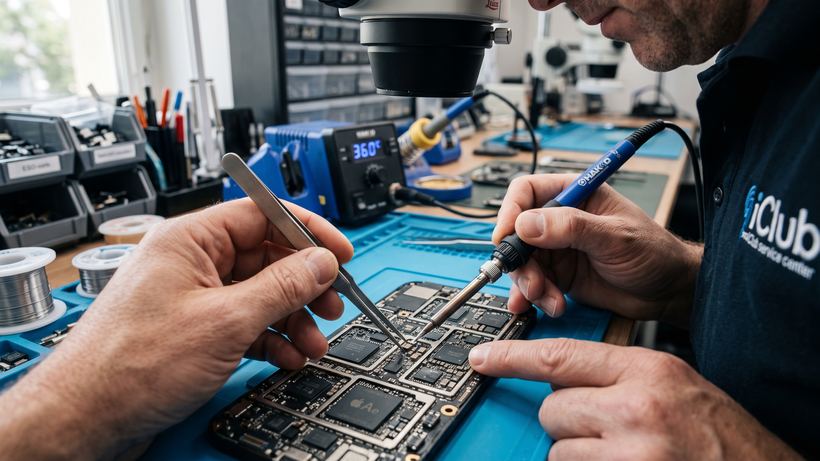
Common issues with iPad Pro 12.9 4 gen A2229
The 2020 Apple iPad Pro 12.9 tablet powered by the A12Z Bionic chip delivers high performance, but due to its thin body and large diagonal screen, it is vulnerable to mechanical damage and natural battery wear. iClub technicians fix various complexity issues on a daily basis.
- Mechanical screen damage: broken glass, unresponsive touch sensor, appearance of colored stripes or black spots on the Liquid Retina matrix. Depending on the extent of the damage, replacing the touch sensor or the full display assembly is performed.
- Charging and battery issues: the tablet discharges quickly, shuts down at 20–30% remaining charge, gets very hot, or does not charge at all. In this case, a battery replacement or cleaning and restoration of the power management IC is required.
- Boot and system startup failures: the tablet freezes on the white Apple logo, reboots spontaneously, won't turn on, or goes into a boot loop. These symptoms indicate a file system failure (flashing required) or damage to the internal components of the motherboard.
How the repair process works at our service center
We value the time of large-format iPad owners, so we have refined our service process down to the smallest detail:
- Free diagnostics. We perform an instrumental inspection and testing of the device's hardware components even if repair services are declined.
- Agreement on terms and procedures. The technician explains the root cause of the breakdown to the client and selects the necessary components without imposing unnecessary services.
- Prompt repair. Our engineers perform most standard modular tasks in front of the customer within 30 minutes using professional tools.
- Issuance and warranty. We check the touchscreen response, cameras, sound, current reception, and issue the device with an official warranty starting from 3 months.
Frequently Asked Questions
Will the data on the tablet be saved after replacing the screen or battery?
Yes, during hardware modular repairs, the storage memory is not affected, and all your notes, photos, and working files will remain safe.
What should I do if the tablet doesn't boot past the Apple logo?
Do not attempt to open the casing yourself. Bring the tablet in for diagnostics: the technician will determine whether it is a software glitch or power circuit damage, and safely restore functionality.
Where is the workshop located?
We look forward to seeing you in Novosibirsk at: 35 Kommunisticheskaya St.