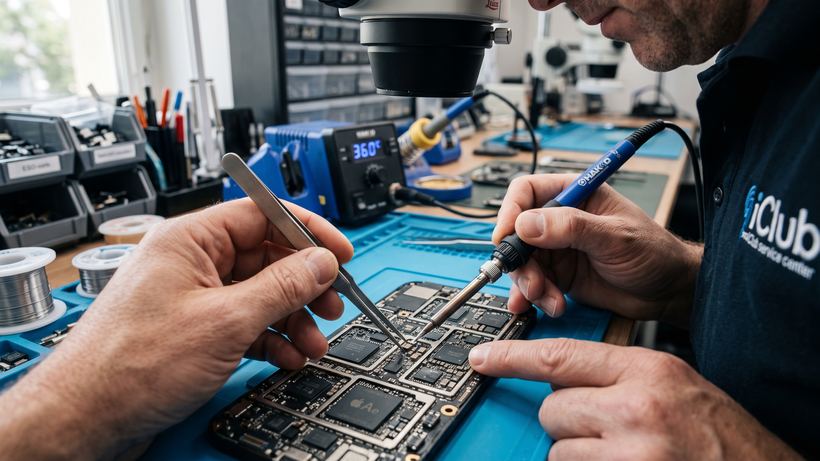
iPad Air 5 (A2588) Repair Specifics
The 5th generation iPad Air is a powerful device powered by the M1 chip that requires a delicate approach to servicing. Its slim body and dense internal layout make opening it yourself virtually impossible without damaging ribbon cables or the screen matrix. At our service center on Kommunisticheskaya St. 35, our technicians use professional heat separators and specialized tools to safely access components.
Common Issues and Symptoms
Based on repair statistics from owners of the A2588 model, we have identified the main problems users encounter:
- Display or touchscreen damage: Cracks, spiderwebbing, unresponsive touch, or distorted colors. In these cases, a display module replacement is required.
- Battery issues: The tablet drains quickly, shuts down in the cold, or powers off at 20-30% battery level.
- Power system malfunctions: The device does not charge, is not detected by a computer, or the USB-C port is loose.
- Software glitches: The tablet will not boot past the Apple logo, freezes, or requires firmware restoration using specialized software.
- The device will not turn on: This can be caused by a power management IC failure or liquid damage.
How the Repair Process Works
We value our clients' time, which is why most repairs are performed in your presence within 30 minutes. The process includes the following steps:
- Free diagnostics: An essential step to pinpoint the exact cause of the breakdown, even if it seems obvious.
- Approval: The technician explains the repair plan and confirms the timeframe.
- Repair: Replacing worn or damaged parts with new components.
- Testing and warranty: After reassembly, the iPad undergoes complete functional testing. We issue a warranty certificate valid from 3 months.
iPad Air 5 Repair Mini-FAQ
Do I need to book in advance? We accept walk-ins on a first-come, first-served basis, but booking in advance guarantees that the required parts are reserved for your visit.
Will Touch ID still work after a screen replacement? When replacing the display module, we carefully transfer the original fingerprint scanner, so all factory security features continue to work as intended.
What should I do if my iPad stops turning on after an update? In most cases, this is resolved with firmware restoration. Our specialists will help bring the tablet back to life without data loss, whenever technically possible.