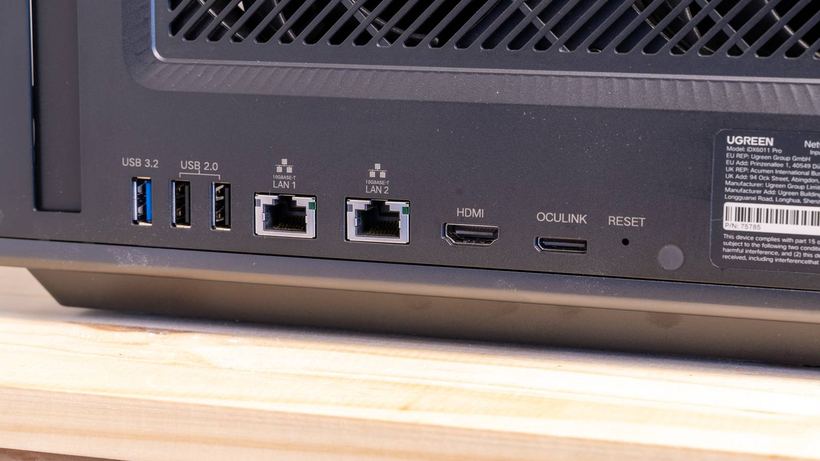
A NAS server is the storage for all your data, and its free USB ports are just begging to be used. In reality, some devices slowly kill the ports, corrupt files during transfer, or instantly fry the motherboard. Let's look at what you should avoid.
USB Fans: Vibration Loosens the Port
A USB fan looks harmless, but constant micro-vibrations are transmitted directly to the connector and solder points. Over time — months or years — the port loosens and fails. Meanwhile, there's almost no benefit from a tiny fan: it won't replace proper room ventilation.
What to do: improve the cooling of the room where the NAS is located, or replace the device's internal fan with a high-quality one.
Unknown Devices and Cables: Risk of Total Data Loss
This is the most dangerous category. A found flash drive, a cable from someone else's bag, a device 'just for a minute' — all of these are real threats:
— Flash drives can contain malware that will immediately infect your server.
— There are USB 'killers' — devices that deliver high voltage and fry the board.
— Similar 'killers' are disguised as ordinary cables.
If you find a cable on the street or at the airport, leave it there. The cost of a mistake is incomparably higher than the price of a new cable.
What to do: check data from an unknown medium only on an isolated computer that is not connected to the network.
Cheap Cables: Corrupted Files Mid-Transfer
A cable from the 'junk' drawer is a frequent cause of problems when copying data:
— Weak insulation and thin conductors provide unstable power.
— Files can get corrupted in the middle of a transfer.
— When copying 10 TB of data, a mid-way disconnection is a real disaster.
What to do: use the cable that came with the device or buy cables from trusted brands that match the port specifications.
Cheap USB Hubs without Power: The Drive Will Disconnect at the Worst Possible Moment
A budget hub splits limited power among all connected devices. When power is insufficient:
— The hard drive will suddenly disconnect.
— If a write was in progress, files will be corrupted.
— The drive will constantly reconnect and wear out faster.
What to do: for multiple devices, get a hub with its own power supply from a well-known manufacturer. Connect 3,5-inch hard drives only through an external power source.
Flash Drives as Permanent Storage: They Die Without Warning
A flash drive is not designed for continuous writing. The memory cell lifespan is limited, and with intensive use, it dies suddenly — along with the data.
What to do: use flash drives only for one-time file transfers. Store everything important on an HDD or SSD.
General Rule
If a device is cheap, of unknown origin, consumes a lot of power, or has moving parts — do not connect it to a server with backups.
If a USB port on your NAS has failed, data is corrupted, or the device is not detected — come to Aiclub Service for diagnostics. We will figure out the cause and offer a solution.